Effortlessly capture, share and chat with your records.
Snap a receipt, forward the shop's email or import a Carfax report, and AI files it under the right car. Ask anything and get answers in real dollars and dates. Share a clean history when you sell.
Now on the App Store. Free to start, on iPhone.
 iOS 17 or later
United States and Canada


How it works
Records become useful. Ask your records questions. New context for a new shop. Credibility for a buyer.
Snap it, forward it, import it
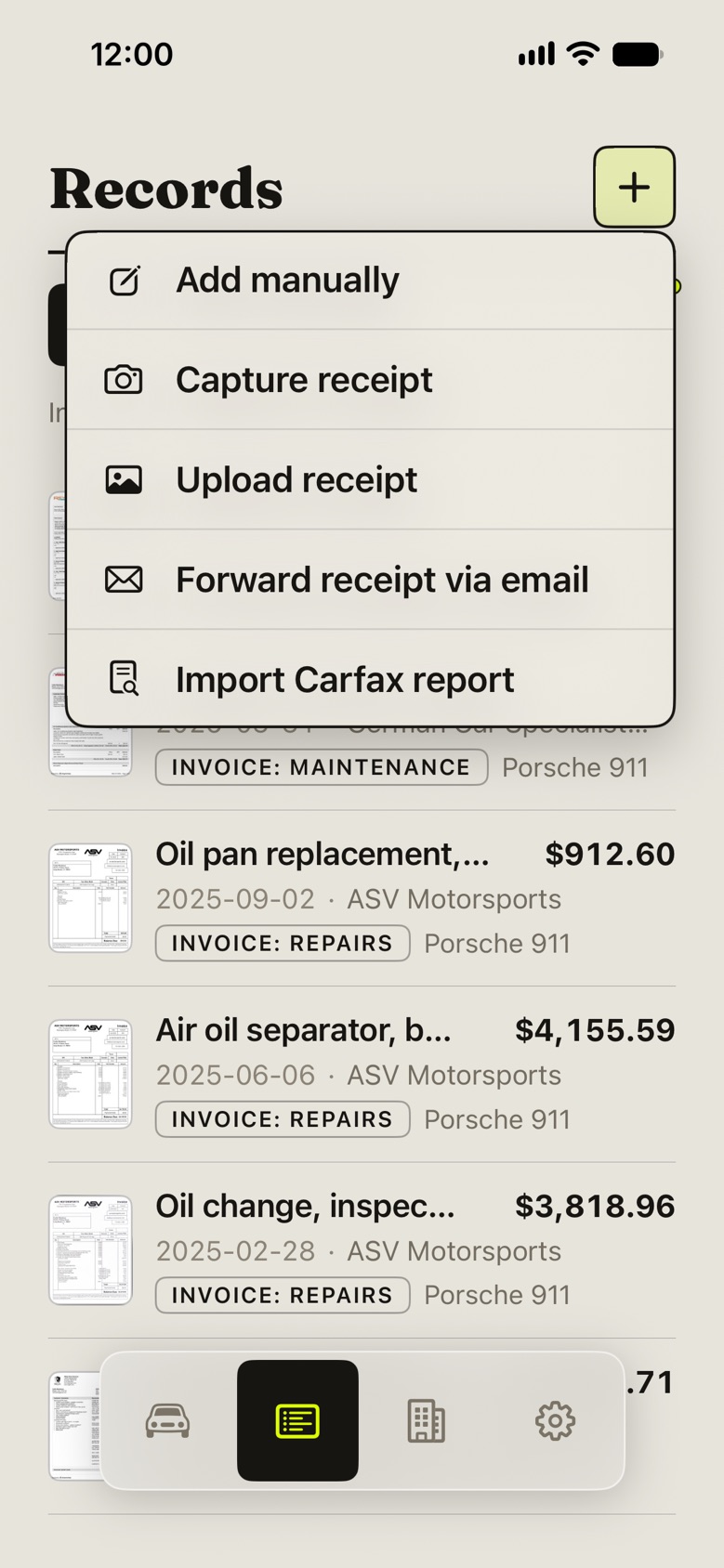
Point your camera at any receipt, invoice or work order. On Pro, forward the shop's email to your AutoRecords address. Or import a Carfax report and bring years of history in at once.
AI reads it. You confirm.
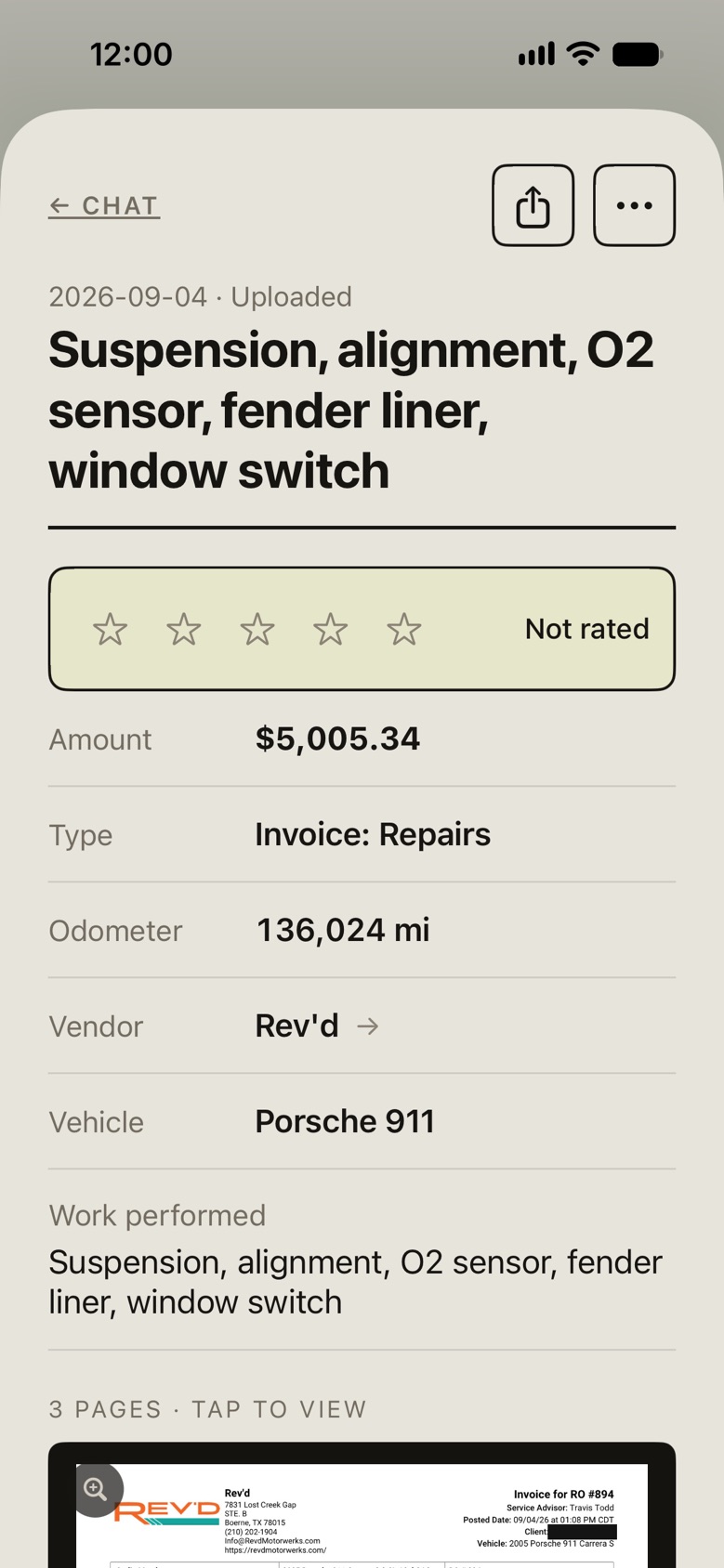
Vendor, date, cost, mileage and the work performed, pulled straight off the paper and filed under the right car. Several receipts in one scan become separate records. Only the corrections need typing.
Ask, know, share
Your records answer questions in plain English, show what the car really costs per mile, and turn into a clean, redacted history the day you sell.
Capture
Five ways in. None of them data entry.
Camera for the shoebox, upload for photos and PDFs, a Carfax import for the years before you kept track, manual entry for the odd cash job, and on Pro your own AutoRecords email address for everything else. Give that address to your shop and your records build while you drive.
- Emailed invoices are read and wait in a review queue. Turn on File without review and a clean invoice from a shop you've confirmed files itself.
- The same invoice scanned and emailed? Duplicates are flagged before they inflate your totals.
- Every original stays attached to its record. If a page can't be read, you get manual entry with the image attached, never a dead end.
Ask
Ask your records anything.
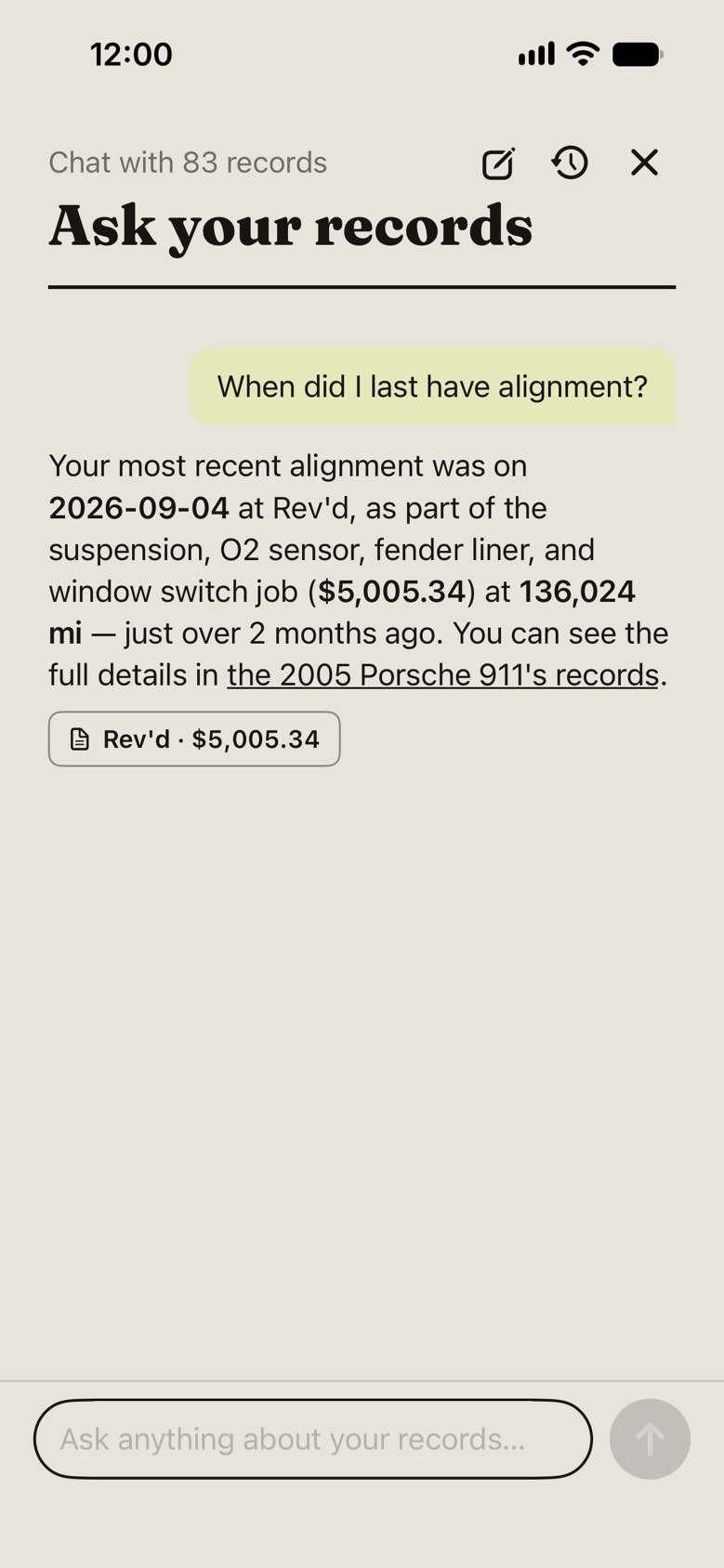
"When did I last have an alignment?" "What did the suspension project cost in total?" "How much on tires this year?" Every answer comes from your own receipts, in real dollars and dates, not estimates.
- Answers cite the records they came from. Tap a citation to open the receipt.
- Past chats pick up where they left off, and on Pro the starter questions are written from your own garage.
Know your real costs
Cost per mile, from actual receipts.
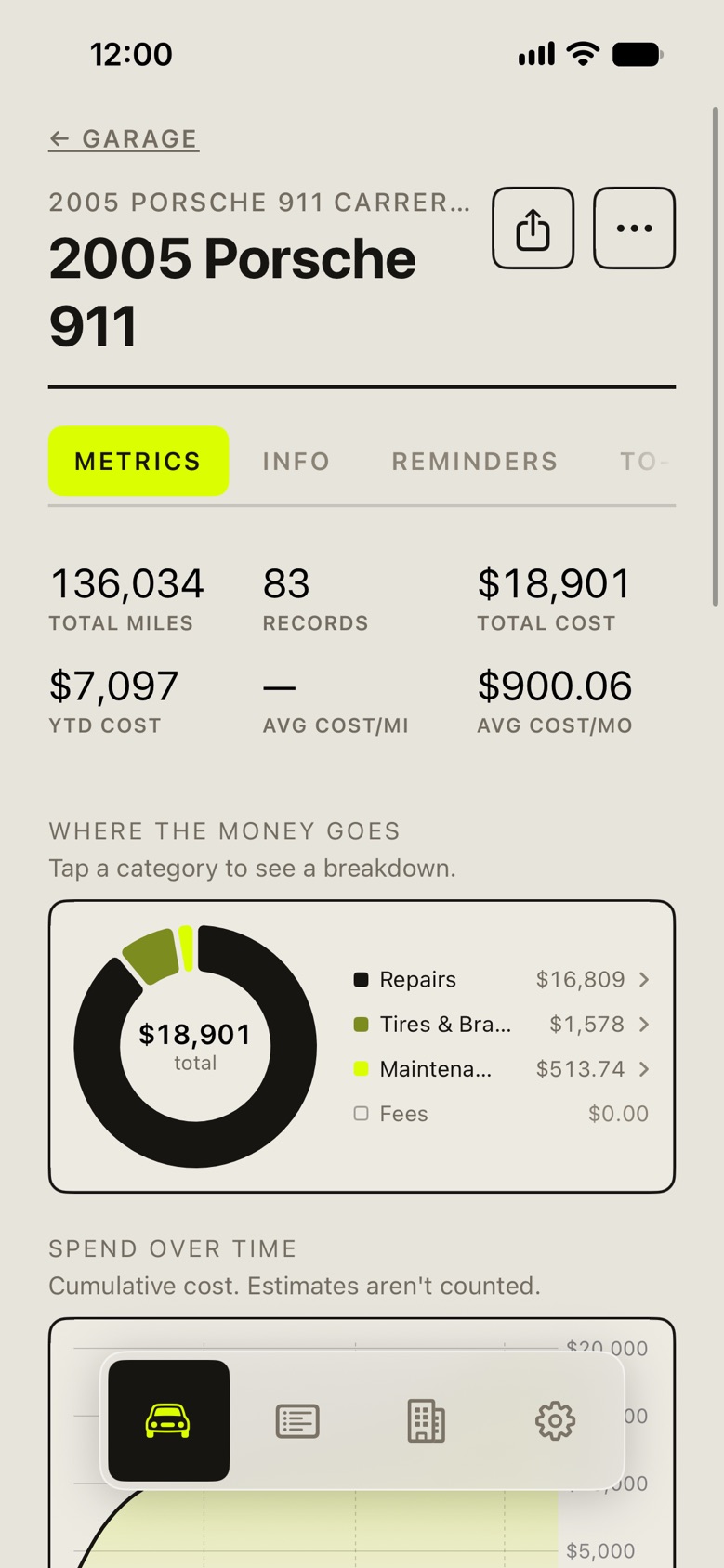
Total cost, this year, cost per mile and cost per month for every car in the garage. On Pro, charts show where the money goes by category and how it adds up over time.
- Count from the day you bought the car or across its whole history. Estimates never count toward spend.
- Every shop gets a contact card filled in from its own invoices: phone, address, service advisor, your rating and a short review.
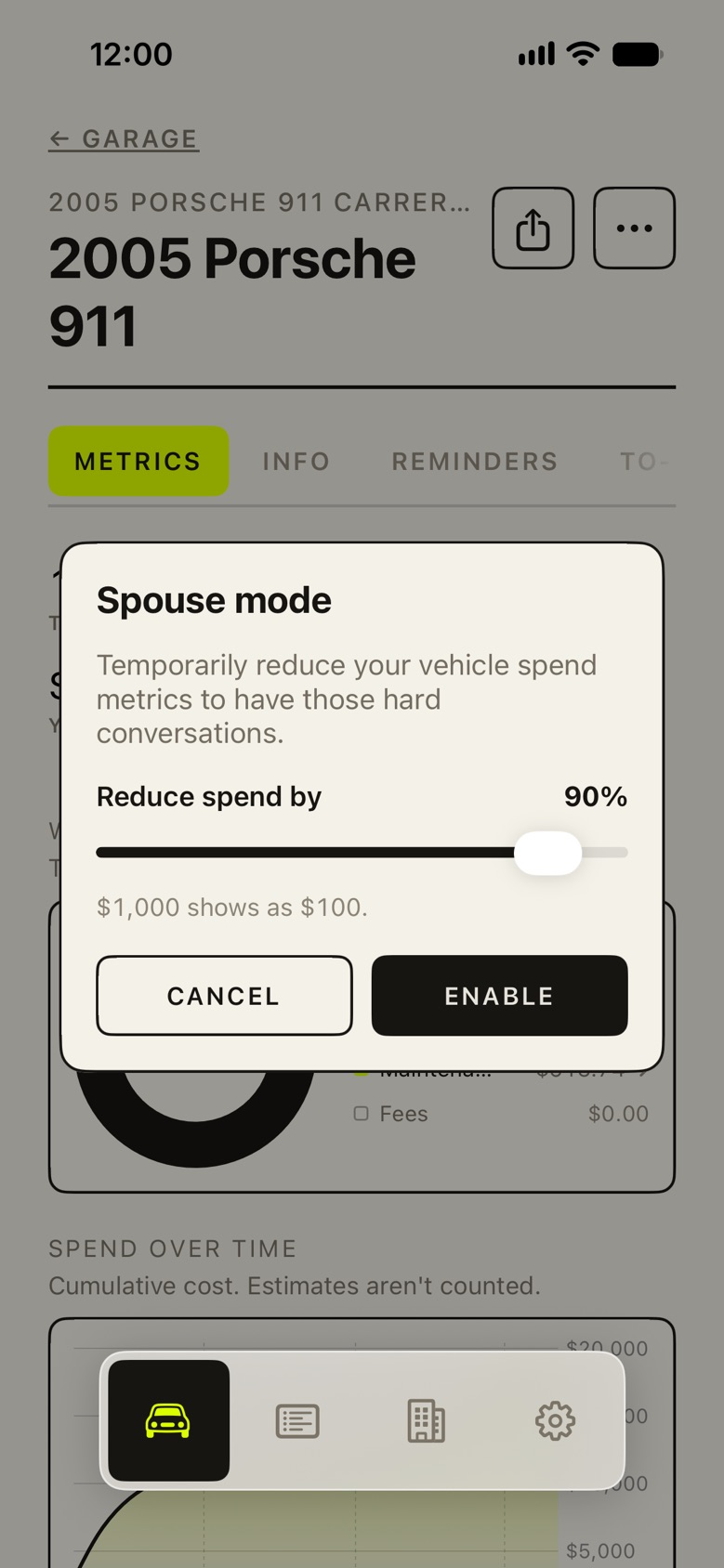
- Spouse mode temporarily shrinks the spend figures on screen, for those hard conversations.
- Seven spend categories, no more: Maintenance, Repairs, Tires & Brakes, Mods, Track, Detailing, Fees
Share
For the new shop. For the next owner.
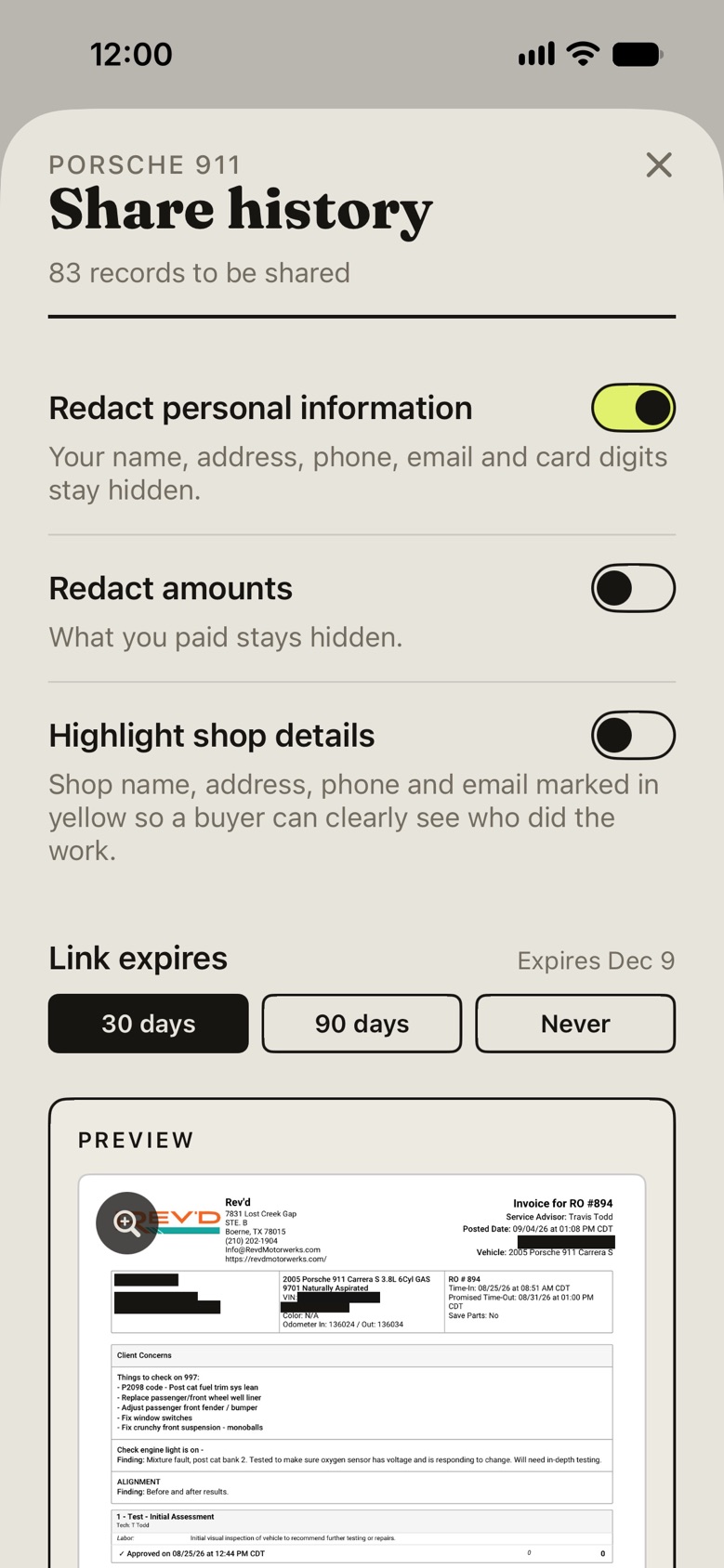
Moving to a new shop? Send them the car's full history so they start with context instead of guesswork. Selling? One link shares every record and receipt, with your name, address, phone, email and card digits blacked out on your phone, so the shared copy never contains them.
- Preview exactly what a buyer will see. Links expire, and you can revoke them any time.
- Get a notification the first time your link is opened.
- Share a single record as a redacted PDF, straight from the share sheet. Sharing is part of Pro.
- Sold it? Transfer the car with a code and its records, shops and notes move to the new owner's garage. Transfers are free for both sides.
Everything else
The details that keep the records honest
One timeline per car
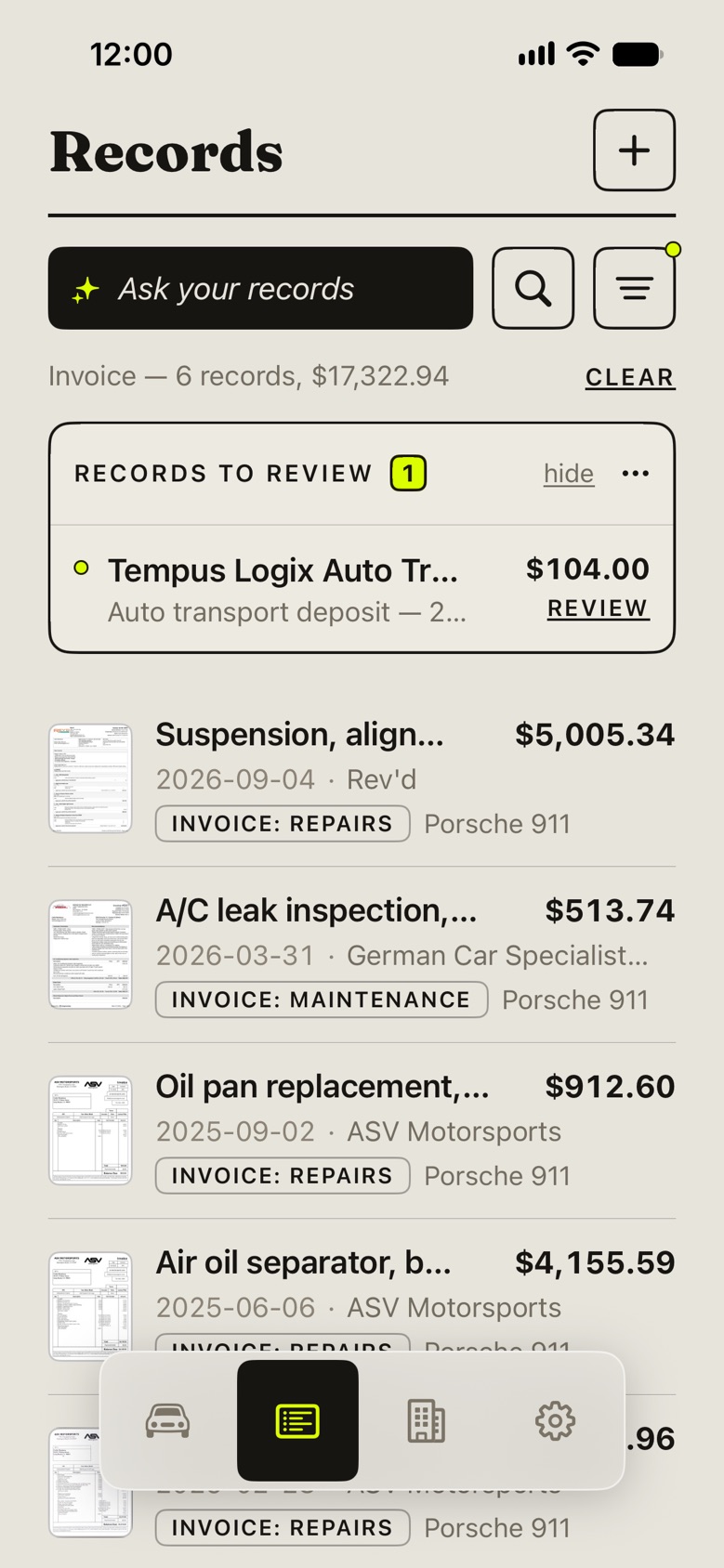
Every record, dated, categorized and tied to the odometer. Search it, or filter by car, type and category.
Bring the Carfax
Photograph the report page by page or upload its PDF. Years of service history arrive as records to review.
Export everything
A spreadsheet of every record and a PDF of every document, whenever you want. No lock-in.
VIN in, specs out
Scan the door-jamb VIN and the year, make, model, trim and engine fill themselves in.
Reminders, to-dos and notes
Keep them per car. A reminder or a shop appointment sends a notification the day before.
Shop mail in one inbox
Appointment confirmations and order updates sent to your AutoRecords address land in Messages, not in your spend.
Hand the car over
Transfer a vehicle with an 8-character code. The buyer previews it, accepts, and the history moves to their garage.
Shops that fill themselves in
Vendor cards build from the letterhead on each invoice, and flag it when a phone number or address changes.
Private by design
Sign in with Apple, Google or email. Delete your account in the app. No ads, no tracking. We make money from subscriptions, not your information.

Built for car enthusiasts
A lifelong love of cars meets 20 years of software experience.
I built AutoRecords because there is a smarter, easier way to stay organized and query my auto records. This is the tool I wanted for myself. I hope you find it useful as well.

Pricing
Free to start. Pro files the whole shoebox.
Free is a real taste of the product, with no clock on it. Pro is for the garage, the curiosity and the sale.
- 1 vehicle
- 3 scanned receipts
- 3 Ask questions
- 2 Carfax imports
- Full-quality AI reading, search and export
- Cost per mile and spend totals
- Vehicle transfers
- Unlimited vehicles and records
- Ask anything
- Your own records email address for shops
- Share links and record PDFs with redaction
- Charts: where the money goes and spend over time
Subscriptions are bought in the app and billed to your Apple ID. They renew until cancelled; manage or cancel any time in your Apple ID settings.
FAQ
Questions, answered
Where do I get it?
AutoRecords is on the App Store for iPhone, iOS 17 or later, in the United States and Canada. It's free to download.
How accurate is the AI?
It reads vendor, date, cost, mileage and the work performed from the receipt, and files under the right car. You confirm every scan before it's saved, and any field can be corrected. If a receipt truly can't be read, you get manual entry with the image attached, never a dead end.
Do I have to use the camera?
No. Upload photos and PDFs, type a record in by hand, import a Carfax report, or on Pro give your personal @in.autorecords.ai address to your shop and let them send invoices straight in.
Can I bring in history I already have?
Yes. Import a Carfax report by photographing it or uploading its PDF, and its service entries arrive as records for you to review. Old paper receipts scan in a batch: several in one session are split into separate records.
What does the free plan include?
One car, three scanned receipts, three Ask questions and two Carfax imports, for as long as you like. The limits are totals, not monthly allowances. Typing records in by hand, search, export and vehicle transfers stay free. Pro removes the limits and adds your records email address, share links and spending charts.
Is there a free trial of Pro?
Yes. The annual plan starts with a 7-day free trial, then $59.99 a year. Monthly is $6.99 with no trial. Both are billed through your Apple ID.
What happens if I cancel?
Your records stay in your account and you can export them whenever you want. Shop mail sent to your address while you're not subscribed is held, and read when you come back. Share links you've sent stay up for a week after your plan ends.
Can I share the history with a buyer?
Yes, on Pro. One link shares a clean service history with your personal details blacked out of every receipt. Preview it first, set an expiry, and revoke it any time. When the car sells, you can transfer it and its records to the new owner's account, on any plan.
Do you sell my data?
Never. We make money from subscriptions, not your information. No ads, ever.
Get the app
Fix the glovebox.
AutoRecords is free to download on iPhone. Start with one car and the next receipt you're handed.